GE Games
NekoCoin app icon
Betav0.3.1AndroidBrowser

NekoCoinColecione gatinhos fofos

Collect kittens and decorate your home.

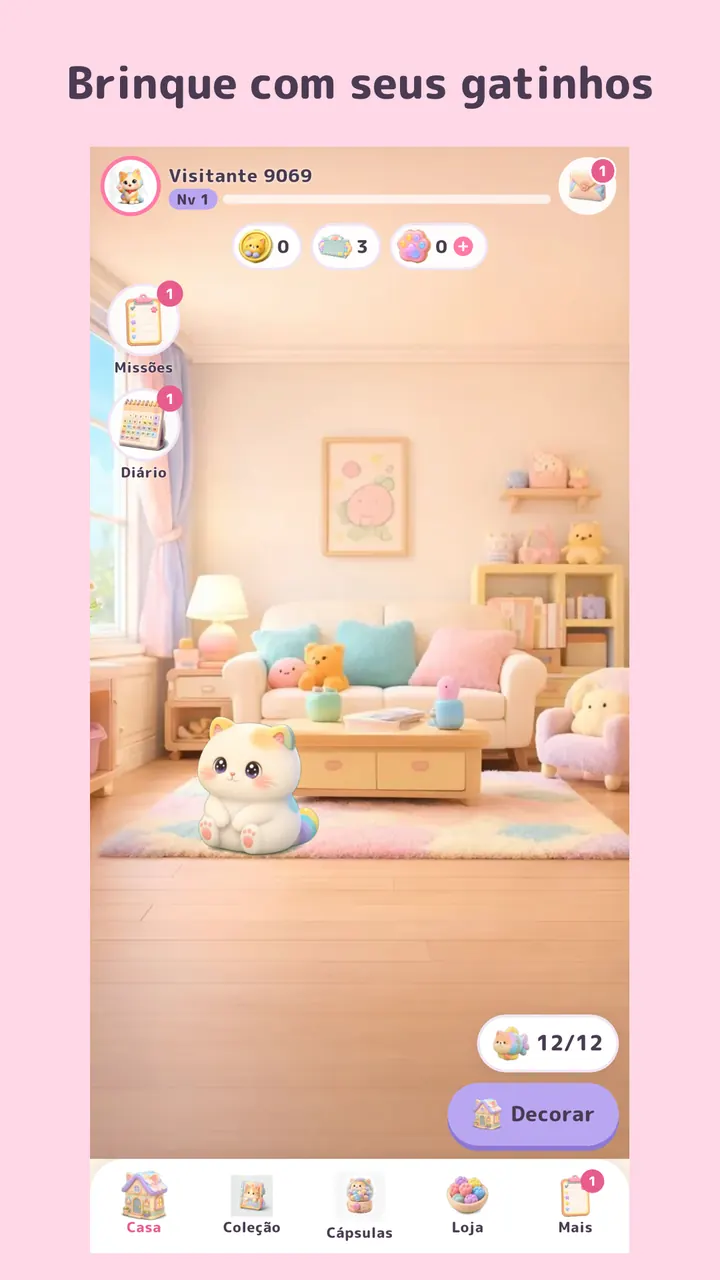
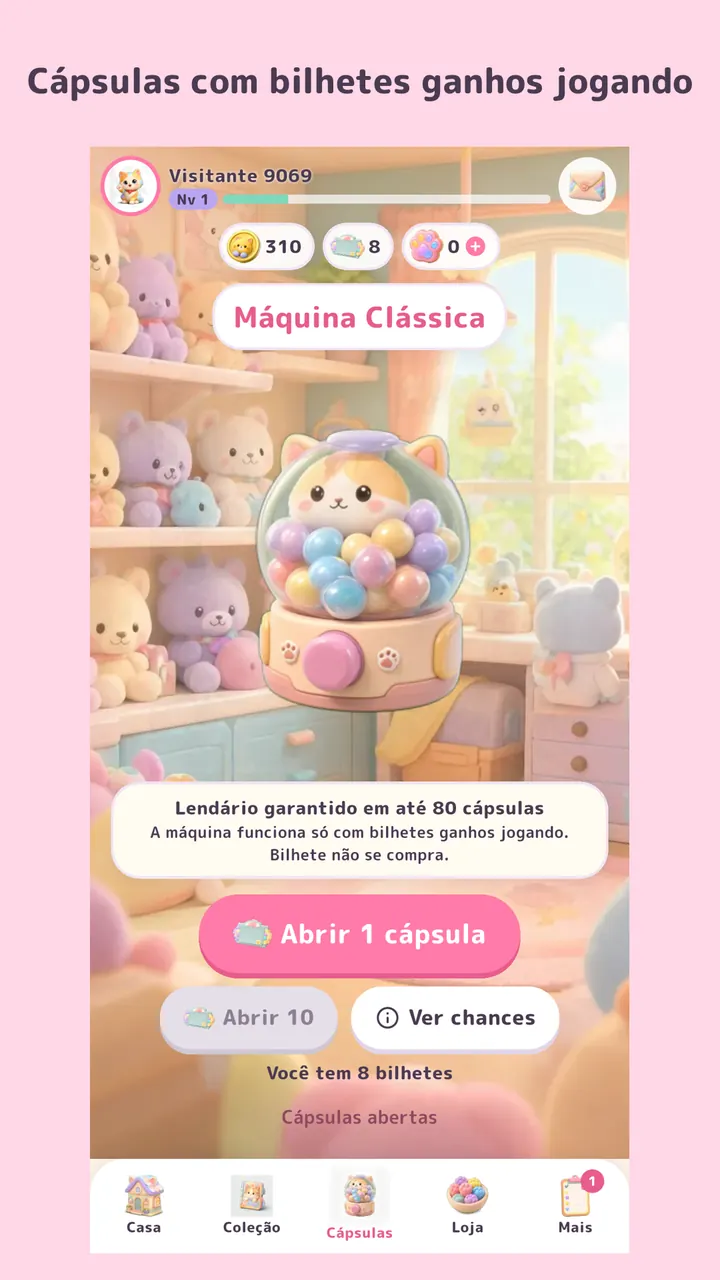
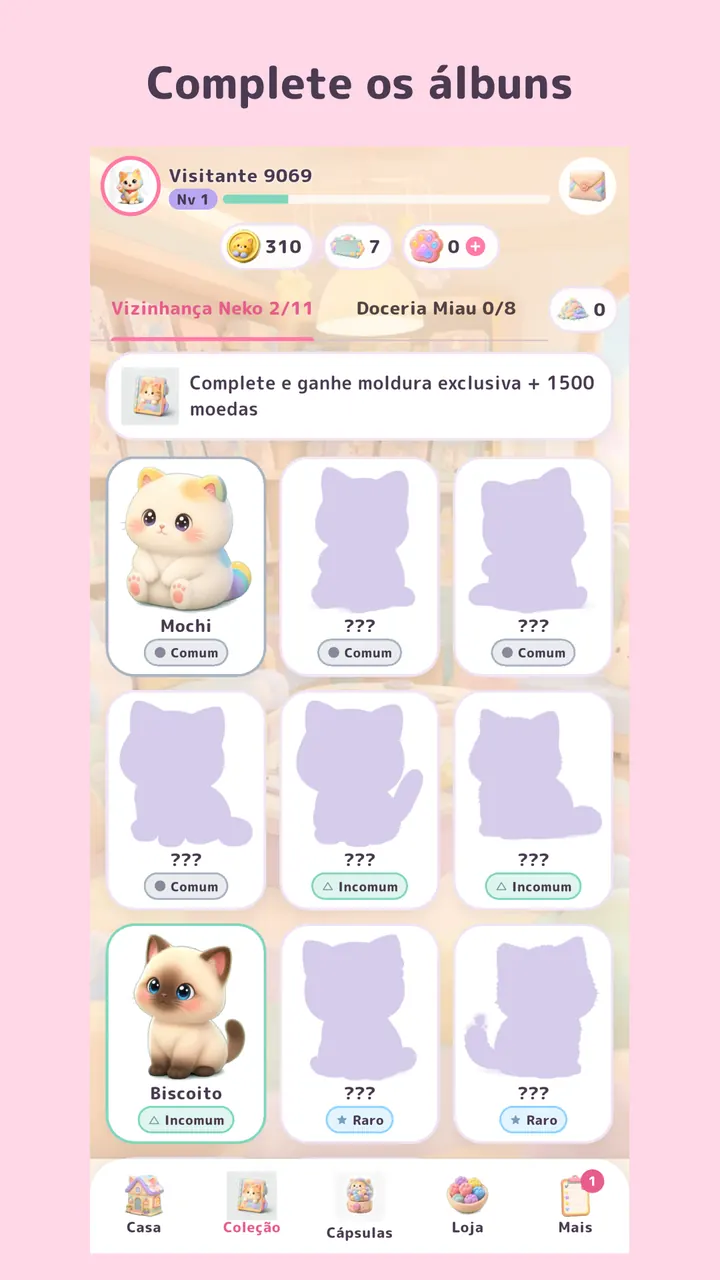
A kitten-collecting game for the whole family: play with your kittens, open capsules with tickets earned by playing, complete albums and decorate the Neko House.

APK · v0.3.1 · 65 MB

You can also play in the browser, on a computer or phone: play now. Same game and same account as the app.

How to install
NekoCoin artwork with colorful kittens in the Neko House living room

About the game

A neighborhood full of kittens.

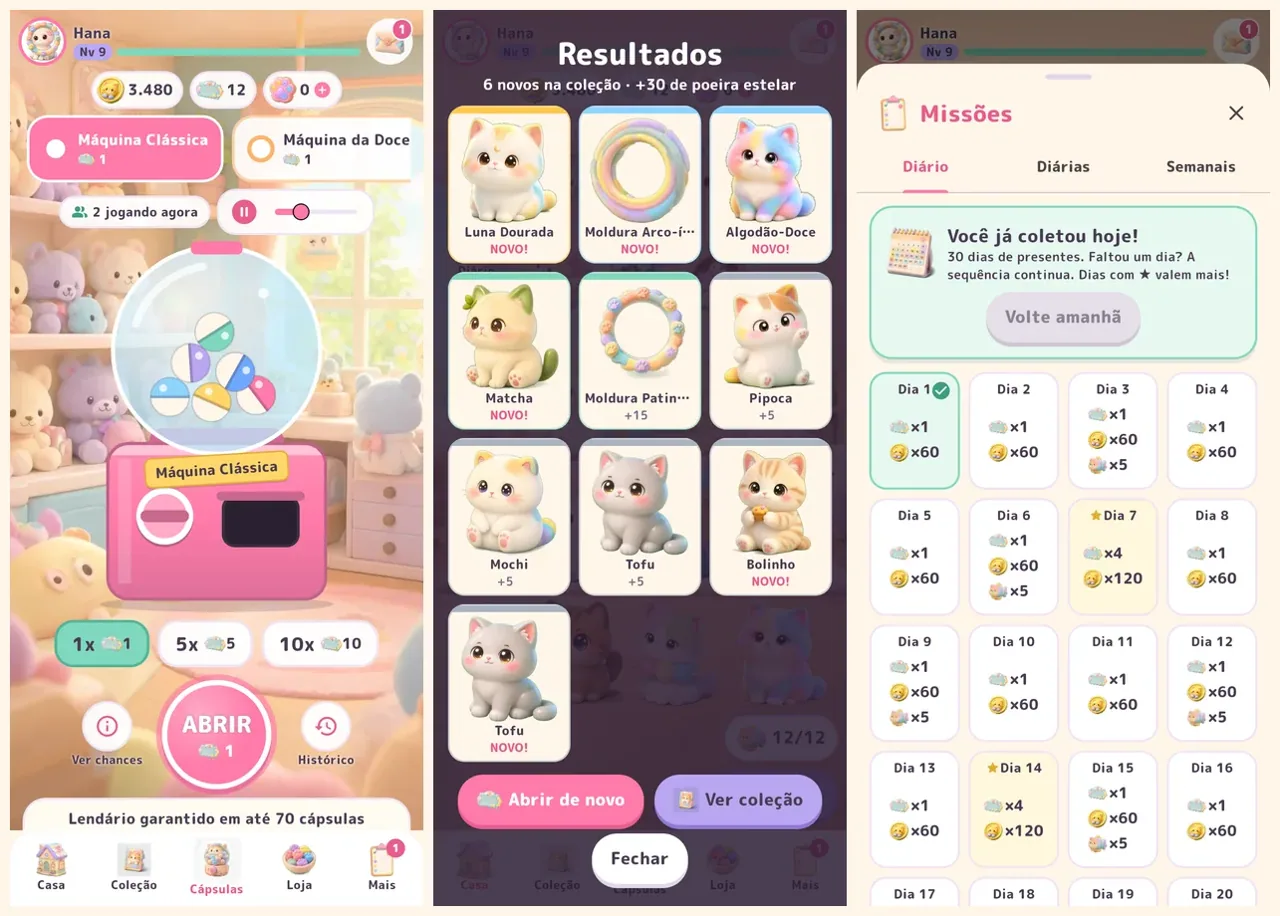
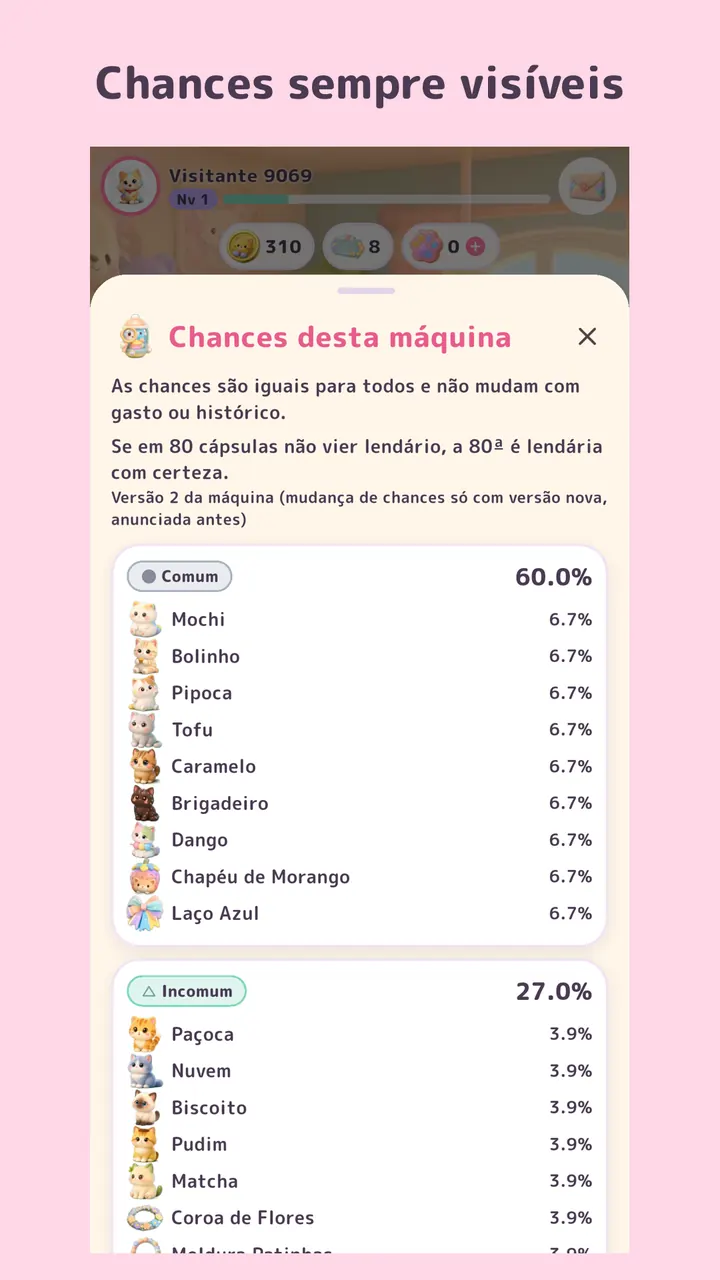
Tap your kittens to play and earn coins and experience. Missions, the daily gift, a 30-day journal, new levels and gifts from friends give you tickets for the capsule machines — tickets can’t be bought, and every item’s odds are shown before you open one. Duplicates turn into stardust so you can pick the kitten you want. The same game, with the same account, runs in the app and in a desktop browser.

  • Play with kittens and level up
  • Three capsule machines (Classic, Sweets and Starry) that only take tickets earned by playing
  • Every item’s odds always shown before opening
  • Neko Neighborhood and Meow Sweets albums with exclusive frames
  • Stardust to choose any item
  • Neko House with 20 decorations
  • Daily and weekly missions, daily gift and a 30-day journal
  • Friends by code: daily gift and visits, no chat
  • Play without signing up in the app or browser; save with Google, Facebook or e-mail
  • Japanese, Portuguese and English

Android · straight from our server

Get NekoCoin

Version
0.3.1 (build 6)
Size
65 MB
Released
Oct 11, 2026
File
nekocoin-0.3.1.apk
Check SHA-256ee974270fd4725f2de282c35b8712c1464dc0f646361ee97cb2d89f4fa8e86c4

On a computer? NekoCoin also runs in the browser: tap Play in the browser and sign in with the same account as the app.

  1. Download the APK by tapping Download for Android.
  2. Open the file and, if Android asks, allow installing apps from this source — only the first time.
  3. Done. New versions arrive through the app itself or this page.

On a computer? Point your phone camera here to open this page and download it there.

Development diary

What’s new

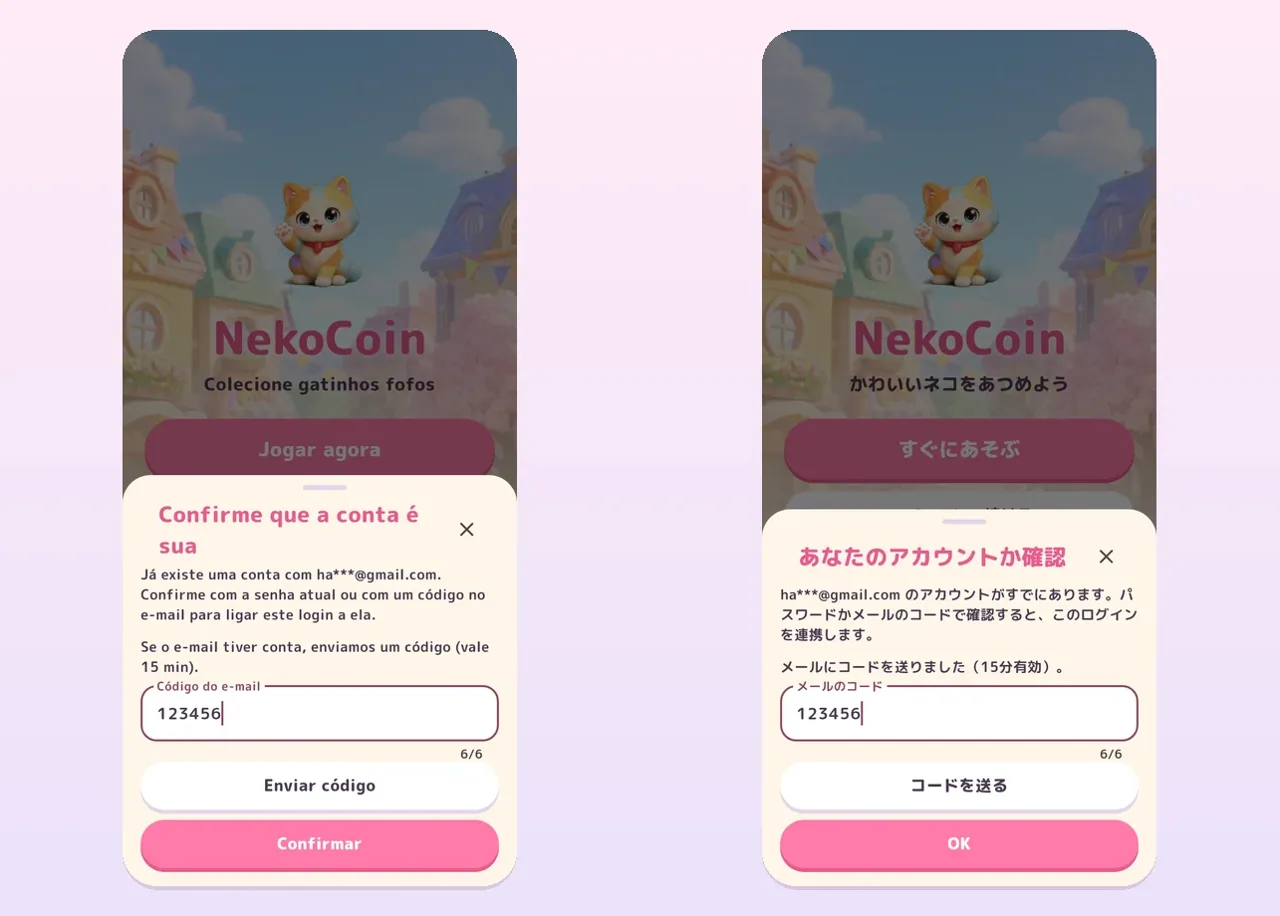
Confirming your account is easierv0.3.1 ·

Confirming your account is easier

Signing in with Google or Facebook to an account you already have now shows every step, and notices no longer hide.

  • Confirming your account when signing in with Google or Facebook is clearer: the e-mail code comes first, then the Confirm button shows up, and any problem is explained right there
  • Notices now show on top of open windows instead of hiding behind them
Three machines and party capsulesv0.3.0 ·

Three machines and party capsules

Multiple machines are back and capsules now drop, bounce, pop open and sparkle — and you can play in your computer's browser too.

  • Three capsule machines: Classic, Bakery and Starry, each with its own guarantee
  • Open 1, 5 or 10 capsules: the machine shakes, the capsule drops, pops open with sparkles and a results screen shows them all
  • The daily gift is now a 30-day calendar and skipping a day no longer resets it
  • New "How to play", wallet statement, my orders and password change
  • Machine music with volume control, and the same game in the browser on computer or phone
Bigger on tabletsv0.2.2 ·

Bigger on tablets

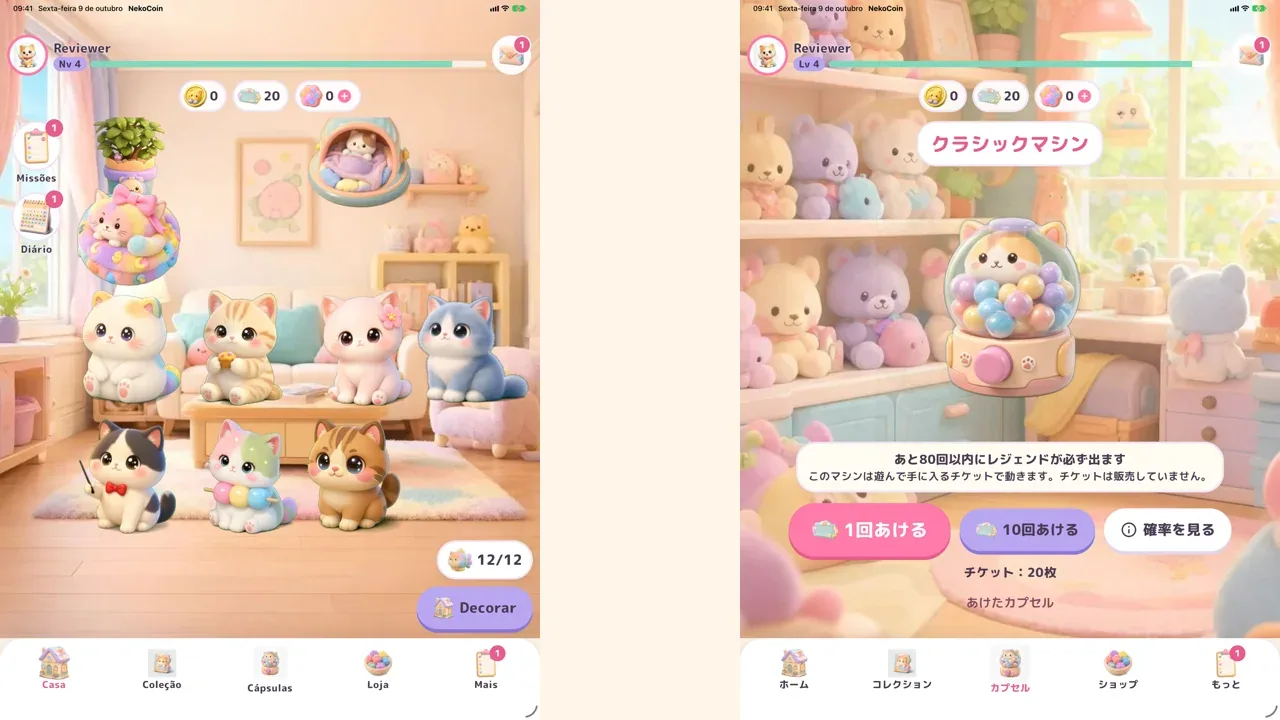
On tablets and iPad the neighborhood now fills the screen, just like on a phone.

  • On tablets and iPad the neighborhood looks bigger, with properly sized buttons
  • After an update, the game shows what's new
  • Small text and touch fixes across screens
Version history (2)
  1. v0.2.1 · Oct 8, 2026Easier to use Clearer buttons for screen reader users, the right message when claiming, and portrait mode on iPad too.
  2. v0.2.0 · Oct 8, 2026The neighborhood is open! Time to collect: kittens to play with, capsules to open and a whole home to decorate.

GE Games

Other worlds

See all